
Cursor
AI-native code editor built on VS Code
Where people discuss it: Product Hunt ↗
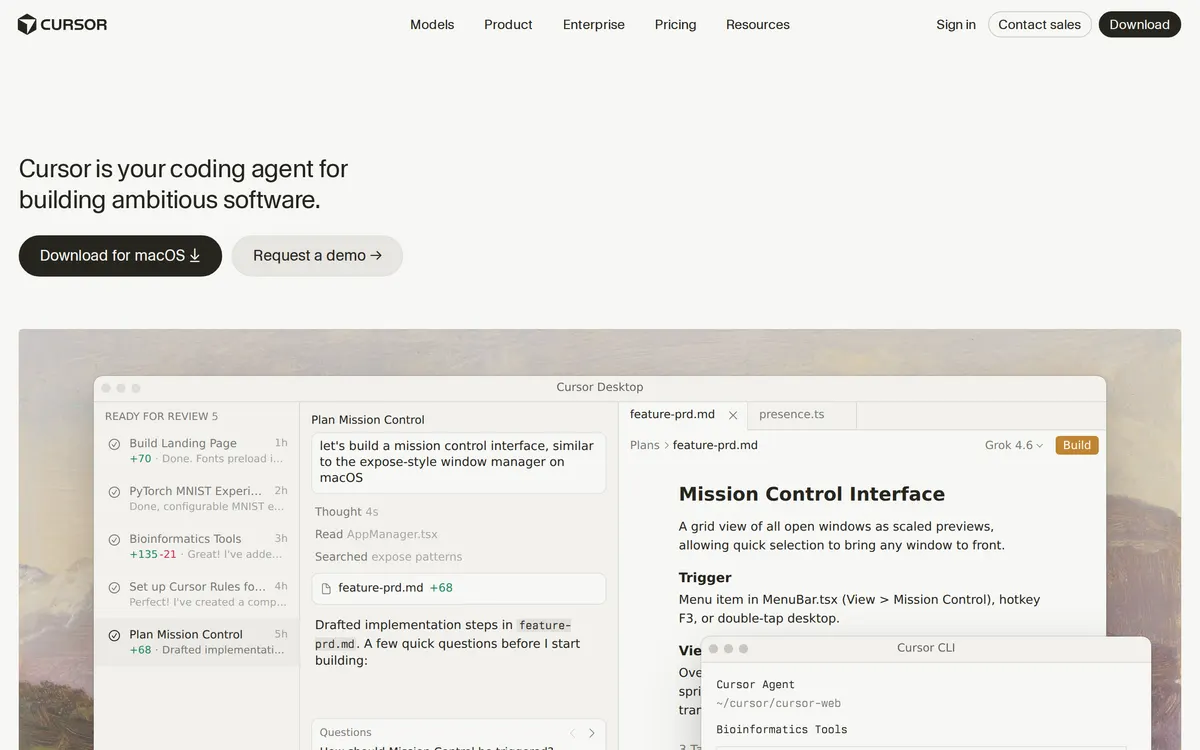
Cursor is a desktop code editor built as a fork of VS Code, so it keeps the familiar interface, extensions, and keybindings while adding AI throughout the workflow. You can describe a change in plain language and Cursor edits across multiple files, ask questions about your codebase, and accept inline suggestions. It offers a free tier with limited AI usage and paid Individual and Teams plans for heavier use.
- Category:
- Code
- Price:
- Free plan, then $20/mo
- Free plan:
- Yes
- Works on:
- macOS, Windows, Linux
- Integrates with:
- GitHub
Cursor pricing
As printed on cursor.com on October 12, 2026
Figures are copied from the vendor's own pricing page, never calculated or converted, and a tier we could not confirm is left out rather than estimated. Pricing changes without notice. Check cursor.com before you buy ↗
What changed
All tracked changes →Cursor added the Teams plan at $40.
· source ↗
Cursor added the Pro plan at $20.
· source ↗
Cursor added the Standard plan at $40.
· source ↗
Cursor added the Pro+ plan at custom pricing.
· source ↗
Cursor added the Ultra plan at custom pricing.
· source ↗
Recorded when a weekly re-read of the vendor's pages finds a tracked figure has moved. It says what the pages showed on two dates and nothing about why. 7 older changes not shown.
At a glance
- Free trial
- Not listed
- Team plan
- Yes
- Open source
- No
- Self-hostable
- No
- Capabilities
- Code editor Code completion AI chat Refactoring Codebase context
Featured on
Under review since : our re-check against cursor.com did not confirm every detail below (tracked price not on vendor page). Check the vendor before you buy. How we check.
Compare Cursor
Ordered by how often each comparison is searched, taken from Google's autocomplete suggestions. Pricing on both sides comes from the vendors' own pages.
All Cursor alternatives




What Cursor does well
- ✓ Editing across many files from one natural-language prompt
- ✓ Understanding an unfamiliar codebase through chat
- ✓ Staying in a familiar VS Code environment while adding AI
Key features
- Multi-file edits from a single prompt
- Codebase-aware chat and search
- Inline completions and refactors
- Works with existing VS Code extensions
People also ask
Is Cursor free? +
Cursor has a free tier with a limited number of AI requests. Paid Individual and Teams plans raise the limits and unlock more capable models.
Is Cursor based on VS Code? +
Yes. Cursor is a fork of VS Code, so most VS Code extensions, themes, and keyboard shortcuts work in it.
What can Cursor's AI do? +
It can make multi-file edits from a prompt, answer questions about your code, generate and refactor code inline, and explain errors.
How much does Cursor cost? +
Cursor lists 8 plans: Hobby (free), Pro at $20/mo, Standard at $40/mo, Teams at $40/mo, Pro+ at $60/mo, Premium at $120/mo, Ultra at $200/mo, Enterprise (custom pricing).
What platforms does Cursor run on? +
Cursor runs on macOS, Windows, Linux.
What does Cursor integrate with? +
Cursor officially integrates with GitHub.
A new AI tool every weekday, in your inbox
Tools like Cursor, delivered daily. No hype, 30 seconds to read. Free, unsubscribe anytime.
Pricing & Product Hunt
We track and organize AI tools. We don't rate them. These links go to the tool's own listing and discussion pages so you can judge for yourself.
For the Cursor team: add a badge to your site
Cursor was the AI Tool of the Day on July 5, 2026. The badge says that and links here. It is a fact about this listing, not a rating or an award.


Launch post, changelog or press page? The Cursor kit has a one-line mention, the share card and ready-to-post text.
More code AI tools
View all code tools →
AI code reviewer that actually runs your app

The AI Developer Cloud for teams building and scaling workloads

Platform for machine learning and data science community

Build web apps, websites, and AI agents with natural language